
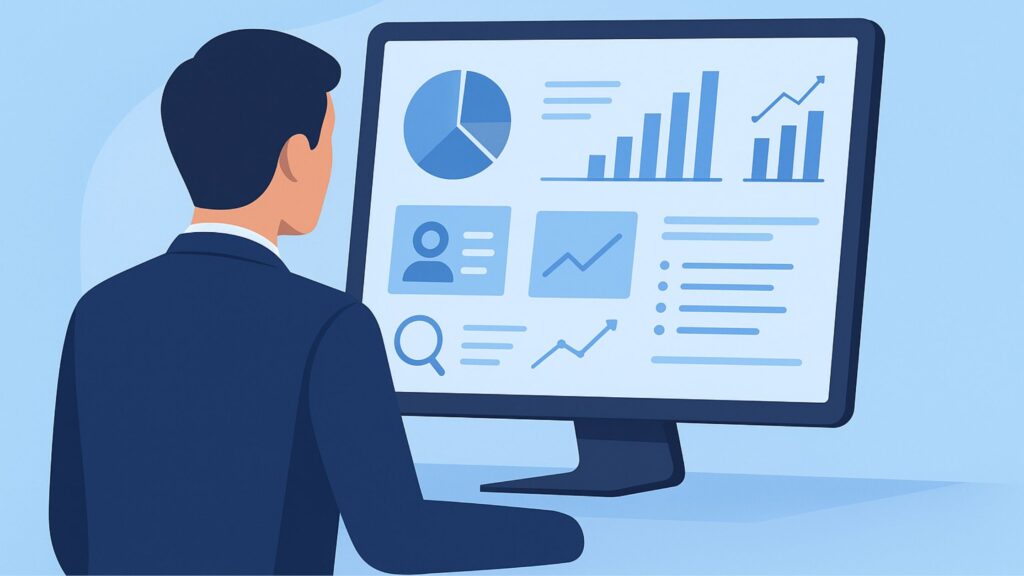
In today’s fast-paced B2B environment, finding the right decision-makers and converting leads quickly is critical for sustainable growth. Traditional cold outreach methods are no longer enough—buyers expect personalized value, relationships, and trusted connections.
This is where Sales Navigator Advanced steps in as a game-changing solution for sales teams, marketers, and business development professionals who rely heavily on LinkedIn to prospect and generate qualified leads. More than just an upgrade to LinkedIn Sales Navigator Core, Sales Navigator Advanced offers powerful automation capabilities, enhanced CRM integrations, advanced lead routing, deeper insights, and collaborative selling tools that dramatically increase conversion rates.
In this comprehensive guide, we’ll break down:
-
What Sales Navigator Advanced is and how it works
-
Key features and benefits
-
Who should use it and why
-
Pricing and plan comparison
-
Best use strategies for maximizing ROI
-
Real success examples
-
Why it matters for digital growth
-
How The Info Technologies can help implement it to scale your business
Let’s dive in.
What Is Sales Navigator Advanced?
Sales Navigator Advanced is LinkedIn’s premium enterprise-level sales prospecting platform designed for growing and large sales teams. It goes beyond the capabilities of Sales Navigator Core by offering advanced collaboration features, better CRM integration, lead management automation, and real-time buyer intent alerts.
What makes it different from Sales Navigator Core?
| Feature | Sales Navigator Core | Sales Navigator Advanced |
|---|---|---|
| Lead & account search | ✔ | ✔ |
| InMail messaging | ✔ | ✔ |
| Advanced filters | ✔ | ✔ |
| CRM auto-sync | ❌ | ✔ |
| Buyer intent insights | Limited | Advanced Intent Signals |
| Lead recommendations | Basic | High-accuracy AI matching |
| Team collaboration tools | ❌ | ✔ TeamLink & Shared Workspaces |
| Lead routing automation | ❌ | ✔ |
| Enhanced reporting | ❌ | ✔ |
| Enterprise scalability | ❌ | ✔ |
In short, if Sales Navigator Core helps you search people, Sales Navigator Advanced helps you convert them faster and smarter.
Key Features of Sales Navigator Advanced
To understand the true power of this platform, let’s explore its top features that make it essential for modern B2B prospecting:
1. Advanced Intent Data & Buyer Signals
Sales Navigator Advanced gives deeper insights into buyer intent based on:
-
Content engagement behaviour
-
Job changes and promotions
-
Funding or company growth events
-
Organizational restructuring
-
Technology adoption indicators
-
Purchase intent activity
These signals help sales teams target leads at the best conversion timing, reducing outreach efforts and improving response rates.
2. CRM Auto-Sync & Full Integration
Supported platforms include:
-
Salesforce
-
HubSpot
-
Microsoft Dynamics 365
-
Zoho CRM (via API)
-
Pipedrive (via connectors)
Benefits:
-
Automatic capture of leads, accounts, and conversations
-
No manual data entry or contact duplication
-
Real-time updates on interactions
-
Full funnel visibility for sales managers
CRM syncing alone saves teams 25–40% of productivity time, according to LinkedIn internal research.
3. Team Collaboration & TeamLink
Multiple team members can:
-
Share lead lists
-
Pass accounts to relevant reps
-
Check internal connections and warm introductions
-
Avoid duplicate outreach
With TeamLink, every teammate’s network becomes accessible for trusted referrals, boosting warm outreach success rates up to 5x.
4. Lead Routing Automation
When new leads match a specific ICP (Ideal Customer Profile), they are automatically:
-
Assigned to the right salesperson
-
Added to smart lists
-
Sent to CRM
-
Enrolled in outreach sequences
This eliminates manual sorting and speeds up lead qualification.
5. Smart Links for Personalized Selling
Smart Links allow you to:
-
Share content like proposals or case studies
-
Track real-time engagement (who opened, how much they viewed, when)
-
Follow up at the right time using data
Better follow-ups = higher conversions.
6. Advanced Reporting & Performance Dashboards
Managers get analytics for:
-
Individual rep activity
-
Lead conversion pipeline
-
Outreach effectiveness
-
Account penetration metrics
This enables better forecasting and coaching.
Benefits of Sales Navigator Advanced
| Benefit | Impact |
|---|---|
| 10x faster prospecting | Removes manual lead search time |
| Higher quality pipeline | Filters only high-intent buyers |
| Better personalization | Improves outreach reply rates |
| Higher deal closure | CRM + insights accelerate negotiation |
| Team-wide alignment | Everyone works on correct targets |
| Reduced churn & pipeline leaks | Automated routing & tracking |
Businesses typically experience:
-
~20-40% increase in qualified meetings
-
2–3x boost in conversion rates
-
Improved revenue forecasting accuracy
Who Should Use Sales Navigator Advanced?
It is best suited for:
-
B2B companies targeting enterprise accounts
-
Sales teams of 5+ members
-
SaaS, IT, Agency, Manufacturing, Corporate, HR & Consulting firms
-
Lead generation and outbound sales agencies
-
Companies using CRM-driven pipeline management
If your business relies heavily on LinkedIn outreach and complex sales cycles, the ROI is extremely high.
Sales Navigator Advanced Pricing Overview
While pricing varies based on region and number of seats, typical estimates are:
| Plan | Approx. Annual Price | Best For |
|---|---|---|
| Sales Navigator Core | $1,600/user/yr | Individual sellers |
| Sales Navigator Advanced | $2,600–$3,300/user/yr | Growth-focused sales teams |
| Advanced Plus | Custom | Enterprise organizations |
Though expensive, the returns surpass cost when optimized.
How to Use Sales Navigator Advanced for Maximum ROI
1. Create Perfect ICP Filters
Define:
-
Industry
-
Revenue size
-
Decision maker job titles
-
Geography
-
Technologies used
-
Current intent triggers
2. Build Smart Lists & Smart Links
Organize prospects by:
-
Lead stage
-
Industry segment
-
Buyer persona
-
Company events
3. Use Buyer Intent Signals for Perfect Timing
Follow up when:
-
Prospect viewed Smart Links
-
Prospect changed job title
-
Company announced funding
-
Company posted relevant content
4. Assign Leads Automatically
Use routing rules so every lead is immediately worked on.
5. Integrate Sales Navigator + CRM + Outreach Tools
Example workflow:
Smart lead → Auto-sync CRM → sales sequence → smart link tracking → close deal
Common Mistakes to Avoid
- Treating Navigator as a contact list instead of strategy
- Sending generic InMails
- Lack of CRM syncing
- No collaboration among sales reps
- Ignoring buying signals
Sales Navigator Advanced Use Case Examples
Example 1: SaaS Lead Generation
A SaaS brand uses Advanced to identify companies adopting new CRM systems. Real-time signals help them win customers before competitors.
Example 2: Marketing Agency
An agency tracking job changes contacts CMOs who recently joined a new company — highest conversion window.
Example 3: IT Service Provider
They automate distribution of manufacturing sector leads to territory-assigned managers.
Sales Navigator Advanced vs Other Sales Tools
| Tool | Purpose | Why Sales Navigator Advanced Wins |
|---|---|---|
| ZoomInfo | Database only | Navigator offers intent + LinkedIn relationships |
| Apollo.io | Email automation | Navigator is better for personalization + real relationships |
| HubSpot alone | CRM but no LinkedIn data | Navigator complements CRM with real-time targeting |
| Lusha | Contact scraping | Navigator offers warm paths and accuracy |
Why Sales Navigator Advanced Matters for the Future of Digital Sales
B2B buying is evolving:
-
80% of buyers prefer remote engagement
-
90% review digital content before speaking to sales
-
Trust and relationships outweigh push selling
LinkedIn is the world’s #1 B2B platform with 1B+ global members, making it the most powerful lead source.
Sales Navigator Advanced builds precision, personalization, and automation into the sales motion—critical for predictable revenue.
How The Info Technologies Can Help You
At The Info Technologies: Digital Marketing Agency, we specialize in:
-
LinkedIn lead generation
-
Sales Navigator setup & optimization
-
CRM integration & automation
-
Sales outreach strategy
-
LinkedIn Ads & InMail campaigns
-
B2B appointment setting
We help businesses turn Sales Navigator Advanced into a high-converting revenue machine.
Want Done-For-You Lead Generation Services?
Email us: theinfotechnologies@gmail.com
Conclusion
If you’re serious about scaling B2B sales and want:
- Higher quality leads
- Stronger conversion rates
- Automated sales workflows
- Real buyer intent and insights
- Better teamwork
Then Sales Navigator Advanced is not just useful — it is essential.
Ready to generate predictable sales pipeline and convert more customers using LinkedIn?
Mail us today at: theinfotechnologies@gmail.com
Let’s build your next big revenue milestone together.
Related Articles
- What Is a Good LinkedIn Profile Picture? | Expert Guide to Professional LinkedIn Photos
- LinkedIn Business Manager – The Complete Guide for Marketers, Agencies & B2B Brands
- LinkedIn InMail Ads: Ultimate Guide to High-Intent B2B Lead Generation
- LinkedIn InMail vs Message: What’s Better for Lead Generation?
- LinkedIn InMail Credits: The Complete Guide to Maximizing LinkedIn Outreach
- LinkedIn InMail: The Ultimate Guide to High-Converting Outreach
- LinkedIn Analytics Tools: The Complete Guide to Tracking, Optimizing & Scaling Your LinkedIn Marketing
- LinkedIn Marketing Tools: The Ultimate Guide for Brands, Founders & Marketers
- How to Use LinkedIn Navigator: The Ultimate Guide to Find High-Quality Leads
- LinkedIn Ads Library: The Ultimate Guide for Marketers, Small Businesses & B2B Brands