
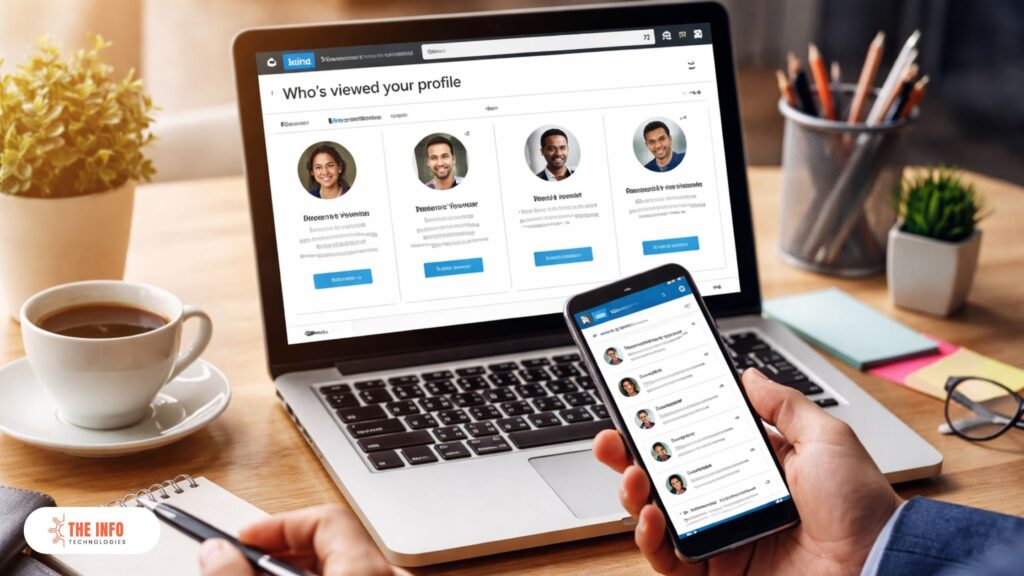
In today’s hyper-competitive digital landscape, LinkedIn is no longer just a professional networking platform—it is a powerful lead-generation engine. One of the most underrated yet highly valuable features on LinkedIn is “LinkedIn who viewed your profile.”
If you are a business owner, marketer, recruiter, freelancer, consultant, or B2B sales professional, knowing who is viewing your LinkedIn profile—and why—can unlock massive growth opportunities.
Yet, most professionals:
-
Glance at the profile viewers list
-
Feel curious for a moment
-
And then… do absolutely nothing with it
That’s where opportunity is lost.
At The Info Technologies, we help businesses convert LinkedIn profile views into real conversations, qualified leads, and long-term clients. This in-depth guide will show you exactly how to leverage the LinkedIn “who viewed your profile” feature strategically, and how to turn silent interest into measurable ROI.
What Is “LinkedIn Who Viewed Your Profile”?
LinkedIn who viewed your profile is a feature that allows users to see a list of people who have recently visited their LinkedIn profile.
Depending on your account type, LinkedIn provides:
-
Viewer names and job titles
-
Companies and industries
-
Location and mutual connections
-
Trends in profile views over time
This feature is not just a vanity metric—it is a direct signal of intent.
If someone is viewing your profile, they are likely:
-
Researching you before reaching out
-
Evaluating your services
-
Comparing you with competitors
-
Considering hiring or partnering with you
At The Info Technologies, we treat profile views as warm inbound interest, not random activity.
Why “LinkedIn Who Viewed Your Profile” Matters for Business Growth
Let’s be clear—profile views are not accidental.
On LinkedIn, users intentionally:
-
Search for professionals
-
Click on profiles
-
Spend time reviewing experience and credibility
Profile Views Signal Buying or Hiring Intent
People who check your profile often include:
-
Decision-makers
-
Founders
-
HR managers
-
Marketing heads
-
Sales leaders
-
Procurement teams
This makes LinkedIn who viewed your profile one of the highest-intent data points available for free on LinkedIn.
When leveraged correctly, it can:
-
Shorten sales cycles
-
Improve response rates
-
Increase meeting bookings
-
Reduce cold outreach dependency
How to See Who Viewed Your LinkedIn Profile
Free LinkedIn Account
With a free LinkedIn account, you can:
-
See the last 5 profile viewers
-
View limited information (often anonymized)
-
Miss historical data
LinkedIn Premium Account
With LinkedIn Premium, you can:
-
See all profile viewers
-
Access up to 90 days of viewing history
-
Get full details (name, role, company)
-
Analyze viewer trends
At The Info Technologies, we strongly recommend Premium for professionals who are serious about LinkedIn lead generation.
Anonymous Profile Views: What They Mean
One of the most common frustrations users face with LinkedIn who viewed your profile is anonymous views.
Why Are Some Views Anonymous?
People may view profiles anonymously if:
-
They are using private browsing mode
-
They have a LinkedIn Premium account
-
They are researching competitors
-
They are recruiters or decision-makers exploring options discreetly
Strategic Insight
Anonymous views are often higher-value than named views.
Why?
Because anonymity usually signals serious intent.
At The Info Technologies, we help clients:
-
Identify patterns behind anonymous views
-
Match them with industry trends
-
Create targeted content to attract them back
Interpreting Profile View Data the Right Way
Not all profile views are equal.
High-Value Profile Viewers
Pay close attention to:
-
CXOs and founders
-
Heads of marketing, sales, HR, or IT
-
Business owners in your target industry
-
Profiles from companies you want to work with
Low-Intent Profile Viewers
These may include:
-
Students
-
Job seekers outside your niche
-
Random connections
The key is filtering profile views strategically, not reacting emotionally.
Why People View Your LinkedIn Profile
Understanding why people view your profile helps you respond correctly.
Common Reasons Include:
-
You sent a connection request
-
You commented on their post
-
You appeared in LinkedIn search
-
You posted high-value content
-
They were referred to you
-
They are evaluating your services
At The Info Technologies, we analyze viewer behavior to design custom follow-up strategies that feel natural, not salesy.
LinkedIn Who Viewed Your Profile: Hidden Lead Generation Goldmine
Most professionals focus on:
-
Cold messages
-
Random outreach
-
Mass automation
But profile viewers are already aware of you.
That alone increases:
-
Trust
-
Familiarity
-
Response probability
Warm Outreach vs Cold Outreach
| Outreach Type | Response Rate |
|---|---|
| Cold LinkedIn messages | 5–10% |
| Warm profile-view follow-ups | 25–45% |
This is why LinkedIn who viewed your profile should be at the center of your LinkedIn growth strategy.
How to Convert LinkedIn Profile Views into Leads
Step 1: Optimize Your LinkedIn Profile for Conversion
Before reaching out, ensure your profile:
-
Clearly states what you do
-
Addresses pain points
-
Includes proof (results, testimonials, case studies)
-
Has a strong CTA
At The Info Technologies, we optimize LinkedIn profiles to act as 24/7 landing pages.
Step 2: Track Profile View Patterns
Look for:
-
Repeated views from the same company
-
Multiple employees viewing your profile
-
Spikes after posting content
These are high-intent buying signals.
Step 3: Send Smart, Non-Pushy Follow-Ups
Avoid:
“I saw you viewed my profile…”
Instead, use context-based messaging.
Example:
“Hi [Name], I noticed we both work in [industry]. Always great connecting with professionals in this space.”
This approach feels organic and respectful.
LinkedIn Premium Insights: Advanced Profile Viewer Analytics
LinkedIn Premium provides additional insights such as:
-
Viewer job function breakdown
-
Company size
-
Industry distribution
-
Weekly view trends
At The Info Technologies, we use this data to:
-
Refine ICPs
-
Improve targeting
-
Create high-converting LinkedIn content strategies
How Content Impacts “LinkedIn Who Viewed Your Profile”
Your content strategy directly influences profile views.
Content That Drives Profile Visits
-
Thought leadership posts
-
Industry insights
-
How-to guides
-
Case studies
-
Personal professional stories
When content resonates, users naturally:
-
Click your profile
-
Explore your services
-
Consider reaching out
This is why content + profile optimization + viewer follow-up is the winning formula.
Common Mistakes to Avoid with LinkedIn Profile Viewers
-
Ignoring profile views
-
Sending aggressive sales messages
-
Not optimizing your profile
-
Failing to track trends
-
Treating all viewers the same
At The Info Technologies, we help clients avoid these costly mistakes through proven frameworks.
Can You Control Who Sees You Viewed Their Profile?
Yes.
LinkedIn allows you to:
-
View profiles publicly
-
Semi-privately
-
Completely anonymously
However, anonymous viewing reduces visibility and networking opportunities.
Our recommendation:
-
Use public viewing strategically when building authority
-
Use private mode selectively for research
LinkedIn Who Viewed Your Profile for Different Professionals
For Business Owners
-
Identify potential clients
-
Spot partnership opportunities
-
Monitor competitor interest
For Marketers
-
Validate content performance
-
Track brand visibility
-
Identify decision-makers
For Recruiters
-
See candidate interest
-
Track employer brand strength
For Freelancers & Consultants
-
Spot inbound leads
-
Follow up professionally
-
Close deals faster
Why Most People Fail to Monetize Profile Views
The problem is not LinkedIn.
The problem is lack of strategy.
Without:
-
Clear positioning
-
Strong messaging
-
Consistent content
-
Smart follow-ups
Profile views remain just numbers.
This is exactly where The Info Technologies makes the difference.
How The Info Technologies Helps You Win on LinkedIn
At The Info Technologies, we specialize in:
-
LinkedIn profile optimization
-
LinkedIn lead generation strategies
-
Content planning and execution
-
Profile viewer conversion frameworks
-
End-to-end LinkedIn growth systems
We don’t focus on vanity metrics.
We focus on leads, conversations, and revenue.
Case Insight: Turning Profile Views into Business Opportunities
One of our B2B clients saw:
-
3× increase in profile views
-
40% higher message response rate
-
Consistent inbound leads within 60 days
All by leveraging LinkedIn who viewed your profile strategically.
Final Thoughts: LinkedIn Profile Views Are Opportunities Waiting to Be Claimed
Every profile view represents:
-
Curiosity
-
Interest
-
Potential intent
Ignoring it means leaving money on the table.
When used correctly, LinkedIn who viewed your profile becomes one of the most powerful tools in your digital growth arsenal.
Ready to Turn LinkedIn Profile Views into Real Leads?
If you’re serious about:
-
Growing your business
-
Generating qualified LinkedIn leads
-
Building authority in your industry
-
Converting profile views into paying clients
Then it’s time to work with experts who understand LinkedIn at a strategic level.
Partner with The Info Technologies to unlock the full potential of LinkedIn and transform silent profile views into meaningful business growth.
Email us directly at: theinfotechnologies@gmail.com
Let’s turn LinkedIn visibility into real, measurable success.
Related Articles
- LinkedIn Search Filters: The Ultimate Guide to Finding High-Quality Leads, Talent, and Decision-Makers
- LinkedIn Connection Request Message Examples: The Ultimate Guide to Getting More Acceptances, Conversations, and Leads
- LinkedIn Growth Hacks: Proven Strategies to Explode Your Reach, Leads, and Authority
- LinkedIn for Freelancers: The Ultimate Guide to Building Clients, Authority, and Consistent Income
- LinkedIn Job Search Tips: The Ultimate Guide to Getting Hired Faster
- LinkedIn Thought Leadership: The Complete Strategy to Build Authority, Trust, and High-Quality Leads
- LinkedIn Content Calendar: The Complete Strategic Guide to Consistent Growth, Authority, and Lead Generation
- LinkedIn Post Size: The Complete Guide to Dimensions, Formats & Best Practices (With Examples)
- InMail: The Complete Guide to LinkedIn InMail, Strategy, Best Practices & ROI
- LinkedIn Search People – The Complete Guide to Finding, Qualifying & Converting Prospects