
In today’s hyper-competitive digital landscape, access to high-quality professional data can make the difference between a missed opportunity and a game-changing win. But what if you could access valuable insights from LinkedIn — even without logging in?
Welcome to your comprehensive guide on “LinkedIn search without login”. As a specialized digital marketing agency, The Info Technologies is committed to empowering you with ethical, effective ways to tap into LinkedIn’s data — while respecting privacy and platform policies. Whether you’re a recruiter, business development manager, content marketer, or simply someone looking to expand your professional network, this post will help you unlock LinkedIn’s potential without ever hitting “Log In”.
Why You Might Need LinkedIn Search Without Login
1. Instant Profile Glance without Friction
Signing up or logging into LinkedIn can be time-consuming — not to mention, some users prefer not to share personal details or give consent to platform tracking. Being able to view a public profile directly helps you:
-
Quickly verify credentials: Confirm job titles, education, or employment history at a glance.
-
Speed up outreach: Needed to check someone’s background before contacting. No delays from login requirements.
-
Reduce friction: No registering, no cookies, no “please sign in” pop-ups. Just straight to what you need.
2. Streamlined Research for Market or Competitor Insights
If you’re conducting market research, competitive analysis, or prospecting, being able to scan multiple public profiles — without creating an account — allows you to:
-
Outline competitive landscapes.
-
Understand skill distributions in certain roles or industries.
-
Capture public content, such as posts, blogs, or professional updates — without committing to a login.
3. Bypass Regional Restrictions or Employer Blocks
For some users, LinkedIn might be blocked by corporate policies or restricted by regional firewall settings. A no-login method gives open access to public data.
4. Maintain Privacy and Anonymity
Not everyone wants to reveal their identity or location when researching. Accessing public profiles anonymously helps maintain discretion — useful for recruiters, journalists, or competitive intelligence analysts.
What You Can and Cannot Access Without Logging In
Before diving into methods, it’s crucial to set realistic expectations. LinkedIn intentionally limits what unauthenticated visitors can see — and it changes over time.
What you typically can access:
-
Public profile header — name, headline, current job position, location (if shared).
-
Some public activity or posts (depending on privacy settings).
-
Company pages and public job posts (if publicly visible).
-
Basic search results (names and headlines) if LinkedIn doesn’t force a login gate.
What you cannot access (without login):
-
Full detailed profile — complete employment history, education, endorsements, skills, etc.
-
Full list of connections and network graph.
-
Contact information such as email (unless publicly shared).
-
In-mail, messaging, or advanced LinkedIn features (recommendations, saved jobs, “who viewed profile”).
Because of these limitations, “linkedin search without login” is powerful mainly for initial discovery, verification, and market research, but not detailed lead enrichment or full recruitment workflows.
Ethical & Policy Considerations
While it’s not illegal to view publicly available profiles, using certain “no-login” methods may violate LinkedIn’s Terms of Service (ToS). Before proceeding, consider the following:
-
Respect privacy: Only use publicly visible data. Don’t attempt to hack, scrape, or bypass access controls.
-
Avoid automation at scale: LinkedIn prohibits bulk data collection and automated scraping — repeated use of “no-login” tricks may be considered abusive.
-
Check regional compliance: Depending on your jurisdiction, data protection laws may impose restrictions on how you collect or use personal data.
-
Use responsibly: Don’t attempt to impersonate someone, harvest emails, or misuse data. Stick to legitimate outreach and relationship building.
If you need advanced data or outreach — including contact info, multi-point enrichment, or messaging — it’s better to use official platforms or third-party tools that respect LinkedIn’s API and privacy policies.
Methods to Perform LinkedIn Search Without Login
Below are some of the most effective and accessible methods that you can use today — no special tools required.
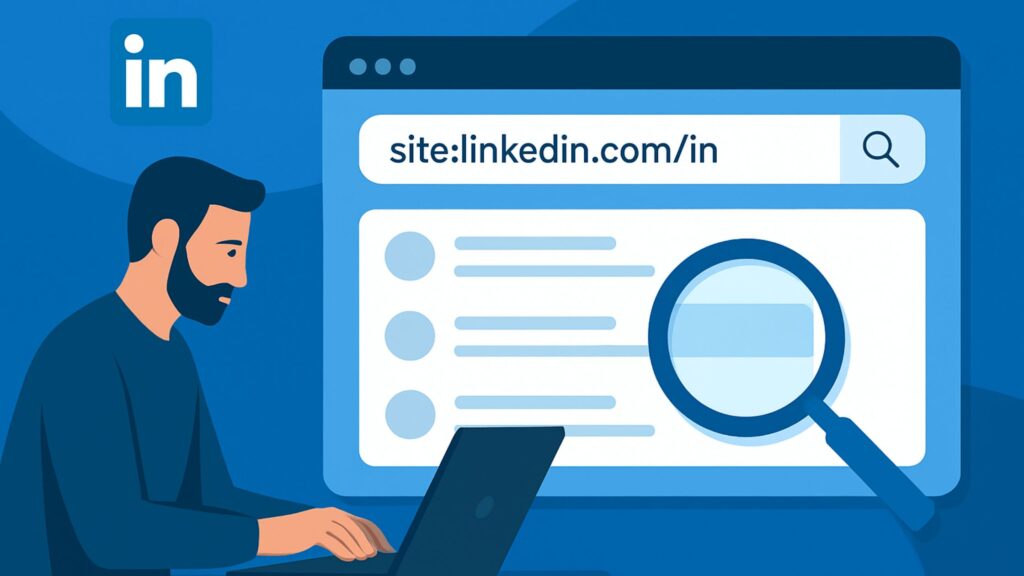
1. Use Search Engines Like Google, Bing, Yahoo
Search engines often cache and index public LinkedIn profiles. You can leverage this by using targeted search queries. Here’s how:
Tips:
-
Use quotes around names or job titles to narrow down results.
-
Combine with location or industry keywords for more precise results (e.g.
“Chennai”,“Digital Marketing”). -
Use Boolean operators (AND, OR, NOT) to refine the search.
This approach — often called “Google dorking” — is quick, reliable, and works across any browser, device, or OS.
2. Access Cached Pages via Web Archives
Sometimes profiles are temporarily hidden or require login — but archives might still host them. You can attempt to access:
-
The cached version from search results (click the small down-arrow or “cached” link in Google).
-
Web archives such as the Internet Archive’s Wayback Machine.
This works especially well for high-profile individuals, past versions of profiles, or users who temporarily changed privacy settings.
3. Leverage Publicly Shared Links (Resumes, Portfolios, Blogs)
Users often share LinkedIn profile URLs on their personal websites, blogs, portfolios, or digital resumes — which sometimes render differently. Copying and pasting such links directly into a browser may still load the public view.
Additionally:
-
People may embed their profile link in email signatures or social media bios.
-
Company websites, press releases, or news articles may hyperlink to employees’ LinkedIn — thus making them publicly accessible without requiring login.
4. Use “View as Guest” or Browser Developer Tools (Limited & Risky)
In the past, there were browser extensions or developer-tool tricks enabling partial profile view without login. However:
-
LinkedIn has cracked down heavily on such tools.
-
Many require scripts or risk triggering security alerts or CAPTCHAs.
-
They may violate LinkedIn’s ToS, which could lead to account suspension or legal consequences for the tool developers or users.
Recommendation: Avoid relying on such methods. Stick to ethically acceptable approaches.
5. Use Third-Party Public Directories or Social Aggregators
Sometimes, professionals syndicate their data to other public directories, job boards, or portfolio sites — which may include, or link to, their LinkedIn profile. Searching in these directories can sometimes reveal LinkedIn URLs or relevant info.
Examples: Personal blogs, Github, medium.com, or niche-specific directories (e.g. design communities, tech speaker lists, startup directories).
A Practical Step-by-Step Workflow for “LinkedIn Search Without Login”
Below is a workflow combining the above methods — designed for recruiters, sales seekers, content marketers, or business development professionals.
-
Start with a Broad Search Query
Use Google/Bing with a boolean query like:or
-
Refine Results with Additional Filters
Include industry keywords, past company names, or education institutions to refine further. -
Check Cached or Archived Versions
— If a profile page shows “Please login to view more,” click the search results’ drop-down to access Google’s cache.
— Alternatively, plug the URL into the Wayback Machine to see older versions. -
Cross-Verify via Public Web Presence
— Look for the person’s personal website, blog, portfolio, or other social profiles. Often, LinkedIn URLs are shared there.
— Check company team pages — many companies list employees with direct LinkedIn links. -
Map & Store Essential Info
— Capture the publicly visible details: current role, headline, company, location.
— Note LinkedIn profile URL for future referencing (even if detailed data is hidden). -
Use Findings for Legitimate Outreach Strategy
— Reach out via publicly available business email or contact form.
— Mention that you came across their profile (public view) to demonstrate transparency.
— Avoid using scraped data to spam or harass. Respect privacy and GDPR-like regulations.
Use Cases: Who Benefits from LinkedIn Search Without Login
1. Recruiters in Large-Scale Hiring
When searching for hundreds of candidates, recruiters often need to verify whether profiles exist before reaching out. This method allows quick screening — especially when they don’t yet want to commit resources to full-member outreach.
2. Sales & Business Development Professionals
Looking for decision-makers in specific companies? Want to gather basic data before official outreach? This approach helps you build a lead list without belonging to LinkedIn or prompting gate-keeper pop-ups.
3. Competitive Intelligence & Market Research Teams
By scanning public profiles of professionals in a target industry, you can map skill distributions, common roles, or organizational structures — valuable for market segmentation or talent-poaching strategies.
4. Content Marketers & Influencer Researchers
When identifying thought leaders or influencers for outreach — perhaps for collaborations or guest posts — you can vet publicly visible metrics before deciding whether to invest further time.
5. Small Business Owners & Freelancers
Need to verify a potential collaborator, contractor, or vendor? Quickly glance at their public profile without needing to register or login — efficient and low-effort.
Limitations & Risks You Should Be Aware Of
While attractive, the method isn’t foolproof. Here’s where it may fall short — and what you must watch out for.
Partial or Obfuscated Data: Many LinkedIn users set privacy controls limiting what anonymous visitors can see. You might only get name & headline, with full history hidden.
Frequent Login Walls / CAPTCHAs: LinkedIn often prompts a login immediately after request, or uses “Are you human?” checks. This disrupts workflows or forces manual bypasses — frustrating at scale.
Data May Be Outdated: Cached or archived versions may reflect old roles, outdated job titles, or changed companies. Always cross-check.
Ethical & Compliance Risks:
-
If misused for mass prospecting or unsanctioned data collection, this method may violate LinkedIn’s ToS.
-
Using or storing data without consent — especially sensitive info — may run afoul of data protection regulations (like GDPR).
-
For outreach, unsolicited emails from scraped lists can be viewed as spam or unethical.
Not Suitable for Deep Recruiting Needs: You won’t get full work history, endorsements, mutual connections, or messaging capabilities. For serious recruitment or networking, this method is only a preliminary step — not a replacement for native LinkedIn features or approved third-party tools.
Complementary Tools & Approaches You Should Consider
If you find “LinkedIn search without login” useful — but need more depth — consider layering ethical, appropriate tools and strategies:
-
Company Websites & About Pages: Most businesses publish team bios. Use these to verify roles and responsibilities beyond what LinkedIn shows.
-
Public Data Enrichment Services: Tools that aggregate publicly available information (e.g. from company filings, professional directories) can supplement what you glean from a public LinkedIn profile.
-
Legally-Compliant Prospecting Tools: Consider platforms that have permission to access and enrich social data, especially if you’re doing marketing or sales outreach — e.g., approved CRM integrations, business databases, or permission-based email marketing platforms.
-
Content Marketing & Thought Leadership Outreach: Use the publicly visible LinkedIn content (articles, shares, posts) to identify authors and thought leaders. Then reach out via email or other social platforms for collaborations, guest posts, or influencer marketing.
-
Manual Networking via Events, Webinars, Conferences: Sometimes, contact details or LinkedIn URLs are shared in event directories or speaker bios — use those to connect the “offline → online → outreach” loop.
How To Integrate “LinkedIn Search Without Login” Into Your Business Workflow
If you’re with an agency, startup, or small business and you want to systematically use this method, here’s a roadmap:
Phase 1: Strategy & Goal Definition
-
Define clear objectives: recruitment, sales leads, market research, influencer outreach, etc.
-
Determine scope and scale: Are you searching for 10 prospects or 10,000?
-
Establish compliance guidelines: what data you will store, how to handle private data, consent, GDPR-like demands.
Phase 2: Pilot Test & Template Creation
-
Create search templates using search engine operators (site:linkedin.com, keywords, location).
-
Run pilot searches to test visibility and assess yield (how many usable profiles you get vs. total search hits).
-
Build data-capture sheets — store basic profile info: Name, Headline, Current Company, Location, Profile URL, Public Activity (if visible).
Phase 3: Outreach Preparation
-
Cross-check publicly visible info via other sources (company web pages, personal blogs, portfolios).
-
Prepare outreach templates — generic yet personalized intro referencing what you saw in the public profile.
-
Ensure compliant data usage — only send emails to publicly available contact addresses or through publicly open contact forms.
Phase 4: Scaling or Transition to Advanced Tools
-
If volume remains small or moderate (a few dozens to a few hundred), continue with manual or semi-automated workflows.
-
If scaling to thousands of contacts, consider switching to ethically compliant third-party tools or build internal consent-based pipelines.
-
Document every step to ensure transparency — which helps if compliance audits or privacy-related queries arise later.
Phase 5: Review & Optimize
-
Periodically review yield vs. effort: Is the method giving enough fruitful leads to justify the time?
-
Evaluate data quality: Are leads viable? Are roles still current?
-
Iterate your search templates, keywords, and outreach copy based on what works best.
Recommended Use Cases for The Info Technologies‘ Clients
At The Info Technologies, we often recommend “LinkedIn search without login” as an initial discovery tool in the following scenarios:
-
Early-stage startups — before raising funds or hiring, to map potential talent or advisors without incurring subscription costs.
-
Freelancer marketplaces — to verify professional backgrounds quickly.
-
Content marketing campaigns — to identify bloggers, subject-matter experts, or micro-influencers for collaborations.
-
Business outreach & partnership building — to compile a preliminary list of decision-makers for outreach campaigns.
We combine this method with ethical outreach practices and comply with local/global data regulations — ensuring your brand remains trustworthy and professional.
Real-World Example: How You Can Use “LinkedIn Search Without Login”
Let’s walk through a hypothetical scenario:
You run a SaaS startup targeting e-commerce brands in Bengaluru, India. You want to reach out to Marketing Heads in mid-size e-commerce companies for a demo of your analytics tool.
-
Search Query:
-
Scan Google Results: You find 60–70 public profile hits. Some show full headlines; others request login.
-
Check Cached Versions: For profiles blocked by login walls, you access Google’s cached version — revealing job title, company name, and “Marketing Head – XYZ E-commerce Solutions.”
-
Cross-Verify: You visit the company website, where you find an employee directory confirming the name and title.
-
Compile Leads: You record Name, Title, Company, LinkedIn URL, and Company Website.
-
Outreach: You draft personalized emails referencing their company and offer a free trial/demo of your product — without violating privacy, using only publicly available info.
Result: You land 5–7 high-quality leads within a week — all without a LinkedIn account or premium subscription.
When to Use Native LinkedIn or Paid Tools Instead
While “LinkedIn search without login” is powerful for discovery and light research, there are scenarios where it falls short. Use native LinkedIn or compliant third-party tools when you need:
-
Advanced filters (skills, years of experience, education, etc.)
-
Rich user data (full employment history, recommendations, shared connections)
-
Messaging, in-mail, or connection outreach
-
Bulk processing or automation with compliance support
-
Deep analytics (industry trends, demographic breakdowns, team structures)
In those cases, relying on LinkedIn Premium, Sales Navigator, or compliant APIs — rather than circumvention — ensures stability, reliability, and compliance.
Best Practices & Ethical Guidelines
-
Transparency: If you reach out to someone, mention that you found their information through publicly available data.
-
Respect Consent: Do not attempt to harvest private or hidden data. Never use scraped or automated tools that violate platform ToS.
-
Respect Privacy Laws: Especially if you’re operating internationally — check compliance with GDPR, CCPA or Indian data privacy norms.
-
Use Data Responsibly: For targeted outreach, personalization, or content strategies — not spam or unsolicited mass contact.
-
Keep Records: Maintain logs of how data was collected, how it’s stored, and how it’s used — in case of audit or inquiries.
Why “LinkedIn Search Without Login” Remains Relevant and Likely Always Will Be
Despite ongoing changes in social-media platforms, privacy regulations, and data protection laws — “linkedin search without login” retains value because:
-
People continue to share public professional information (headings, company names).
-
Search engines keep indexing public data — and sometimes retain caches longer than live pages.
-
For many businesses and individuals, speed, convenience, and frictionless access outweigh the lack of depth — especially when used as a first-pass tool.
-
When combined with smart cross-verification, it offers a cost-effective, low-barrier, and compliance-friendly method to build initial contact or research lists.
For small agencies, startups, freelancers, or budget-conscious businesses — it’s often the first weapon in the outreach or hiring toolkit.
Summary: When & How to Use “LinkedIn Search Without Login”
| Use Case | What It’s Good For | Limitations |
|---|---|---|
| Quick Profile Checks & Verification | Fast glance at name, job title, company | No full history, no contact info |
| Market / Competitive Research | Mapping industry professionals, company distributions | Data may be partial or outdated |
| Lead List Building (Low Budget) | Getting initial leads without premium subscriptions | Requires manual verification and outreach compliance |
| Content & Influencer Outreach | Finding public profiles of potential collaborators | May lack contact info — need external research |
| Small-Scale Hiring or Vendor Checks | Preliminary vetting of candidates or vendors | Not a replacement for detailed background checks |
Best if Combined With: Company websites, manual verification, ethical outreach, compliance with privacy laws — or later transition to paid or API-based tools if scaling.
Final Thoughts: LinkedIn Search Without Login
“LinkedIn search without login” isn’t a silver bullet. It doesn’t replace full-fledged recruitment or outreach platforms. But when used properly, it offers a cost-effective, fast, and ethical way to get a leg up — whether you’re a recruiter, sales pro, startup founder, or content marketer.
At The Info Technologies, we believe in working smart and within ethical boundaries. We often recommend this approach as a first step in a multi-tiered outreach strategy, combining public profile discovery with proper outreach, consent-based contact, and data enrichment when necessary.
If you’re looking to scale your outreach, improve recruitment, or build a solid lead list — but don’t want to deal with login hassles, premium subscriptions, or privacy risks — this method is a tried-and-true starting point.
Want to Get Started — We Can Help
If you’re serious about leveraging public LinkedIn data for lead generation, recruitment, or market research — and want a professionally managed campaign, we’re here for you.
Drop us a message at theinfotechnologies@gmail.com with:
-
Your target industry or niche
-
Approximate volume of prospects/leads
-
Geographic or demographic focus (e.g. city, country, company size)
-
Your outreach objective (hiring, sales, collaboration, research)
We’ll get back to you with a custom plan — including lead-list building, compliance checks, and outreach strategy — tailored to your needs.
Let’s transform publicly available data into real-world growth — without the headache of logins or subscription fees.
Note: Always use all data responsibly. This blog post is for informational purposes only and does not constitute legal advice.
Related Articles
- LinkedIn Search API: How It Works, Benefits & Integration Guide
- How to Clear LinkedIn Search History: A Complete Step-by-Step Guide
- LinkedIn Search by Name – How to Find, Verify, and Convert Connections into Leads
- LinkedIn API Key: The Complete Guide for Developers & Marketers
- What Is a Good LinkedIn Profile Picture? | Expert Guide to Professional LinkedIn Photos
- LinkedIn Business Manager – The Complete Guide for Marketers, Agencies & B2B Brands
- LinkedIn InMail Ads: Ultimate Guide to High-Intent B2B Lead Generation
- LinkedIn InMail vs Message: What’s Better for Lead Generation?
- LinkedIn InMail Credits: The Complete Guide to Maximizing LinkedIn Outreach
- LinkedIn InMail: The Ultimate Guide to High-Converting Outreach